
How do I find out how many visitors ChatGPT, Gemini and Claude bring?
You can now find out how many visitors ChatGPT, Gemini and Claude bring to your website directly through Google Analytics 4. This became possible in May 2026, when Google implemented a new AI traffic classification that assigns visits from ChatGPT, Gemini, and Claude, among other AI platforms, to a separate AI Assistant channel.
Before this improvement, you had to look for information about visitors from ChatGPT, Gemini, and Claude among the general Referral flow or manually create complex filters for this purpose. GA4 allows you to see the general AI flow, individual sources, and assess what these visitors do on the site.
What is AI flow in GA4?
AI traffic GA4 is website visits that Google Analytics recognizes as coming from AI assistants. For example, a person receives a response from ChatGPT, Gemini, or Claude, clicks on the link in the response, and lands on the website.
From May 2026, the AI assistant stream identified by GA4 may include:
- Medium: AI assistant;
- Default Channel Group: AI Assistant;
- Campaign: (AI assistant).
This is an important change, as previously AI traffic was often analyzed to find individual referring domains or create its own channel groups.
However, when analyzing website visibility on AI platforms, it is important to understand that GA4 only measures and reports website visits, not all instances where the business or its content was shown in ChatGPT, Gemini and Claude, etc. responses. If a person read the AI response but did not click on the link, GA4 will not record such visibility and you will not see it.
Where can I find the AI Assistant stream in GA4?
Google Analytics 4 visits data from AI can be found In the Traffic acquisition report. Here you can also compare AI visits with organic search, social media, live streaming, and other visitor sources.
To see AI traffic data in GA4, select:
Reports → Acquisition → Traffic acquisition
Select the following as the main dimension:
Session default channel group
Then look in the table for:
AI Assistant
Here you can evaluate not only the total number of sessions generated by AI, but also other indicators:
- sessions;
- active users;
- engaged sessions;
- engagement rate;
- average engagement time;
- main events;
- revenue if e-commerce tracking is properly set up on the website.
Officially Google Analytics Traffic acquisition documentation explains that this report is designed to analyze where website sessions are coming from. Therefore, it is one of the key tools for evaluating the traffic generated by AI assistants.
How to see ChatGPT, Gemini and Claude traffic separately?
Google Analytics 4 In the reports, AI Assistant includes all AIs and if you want to know whether ChatGPT, Gemini and Claude or another AI assistant is sending visitors, you need to analyze Session source or Session source / medium data.
In the Traffic acquisition report, instead of Session default channel group, select:
Session source
or:
Session source / medium
This allows you to distinguish specific sources and see which AI platform brings in more visitors.
For example, the report might look like this:
| Source | Medium | Sessions | Engagement rate | Main events |
|---|---|---|---|---|
| ChatGPT | ai assistant | 120 | 72 % | 8 |
| Gemini | ai assistant | 65 | 68 % | 4 |
| Claude | ai assistant | 21 | 76 % | 2 |
These numbers are just an example, but such an analysis allows us to answer not only the question of how much AI traffic a website receives, but also which AI assistant generates the most valuable visitors.
Google your in the documentation of flow source dimensions Source is defined as the specific page, platform, or other online source from which a user came. Therefore, this dimension is useful when analyzing individual AI platforms.
How to leave GA4 with only AI traffic?
If a website receives a lot of traffic from various channels, it is more convenient to filter AI data separately.
You can add a filter to the Traffic Acquisition report:
Session default channel group = AI Assistant
Then, only the traffic that GA4 attributed to AI assistants remains in the report.
Another way is to use:
Session medium = ai-assistant
In May 2026, Google added ai-assistant as a new medium value for the recognized AI assistant stream. Google Analytics 2026 update documentation Among AI assistants, ChatGPT, Gemini, and Claude are directly mentioned.
After filtering out AI traffic, you can change the main dimension to Session source and compare individual platforms.
How do I find out which pages AI is bringing visitors to?
One of the most useful steps in AI traffic analysis is to determine which specific pages on your website visitors are coming to.
This allows us to understand, what content already acts as an entry point from AI search and AI assistants.
When analyzing AI traffic, you can evaluate the landing page or page path and see, for example:
- Which articles receive the most visitors from ChatGPT;
- Which pages attract Gemini visitors;
- Which pages receiving AI traffic generate key events;
- Which pages receive visitors, but they leave quickly.
Such analysis helps to understand not only the amount of traffic, but also What content do AI systems already help potential customers discover?.
What else is worth measuring?
The number of sessions alone does not indicate whether AI traffic is valuable to the business. A higher number of visitors does not necessarily mean more inquiries, sales, or other important actions. Therefore, it is worth analyzing the AI Assistant channel according to several indicators:
- Sessions – how many visits were brought by AI;
- Users – how many users came to the website;
- Engaged sessions – how many sessions were involved;
- Engagement rate – what part of the AI traffic was involved;
- Average engagement time – how long visitors actively used the website;
- Key events – how many important business actions have been completed;
- Revenue – how much revenue was generated by AI traffic if the website has e-commerce.
It's also worth comparing the AI Assistant result with other channels, such as Organic Search or Referral. This way you can see if visitors coming from AI systems behave differently than regular Google search visitors.
What does GA4 not show when assessing AI visibility?
GA4 shows AI-generated website traffic, but it doesn't show the full visibility of your business into AI systems, meaning you won't get answers like:
- How many times did ChatGPT mention the business;
- For what inquiries does Gemini recommend the company;
- How many times Claude cited a specific article if the user did not open it;
- How often competitors are recommended in AI responses;
- How many people read the AI response but didn't visit the website.
It is also important that The AI Assistant channel is not the same as all traffic from Google's generative search features. Google AI Overviews and AI Mode are part of Google Search, so they shouldn't be automatically identified with a separate AI Assistant channel. As a result, AI traffic and AI visibility are two related but distinct things. AI flow shows how many people from the AI environment actually visited the website. AI visibility shows how often a business, its products, or content in general appears in AI responses, quotes, and recommendations.
FAQ
Conclusions
Tracking GA4 AI traffic has become much easier in 2026. The AI Assistant channel allows you to see recognized traffic from AI assistants, the ai-assistant medium helps you filter it, and the Session source allows you to isolate specific sources, such as ChatGPT, Gemini, or Claude.
- Search for AI traffic first Traffic acquisition → AI Assistant;
- analyze specific AI sources based on Session source;
- AI traffic can be filtered by Session medium = ai-assistant;
- track not only sessions, but also engagement and key events;
- analyze which pages AI assistants send visitors to;
- Evaluate GA4 data in conjunction with broader AI visibility analysis.
To understand not only how many visitors AI brings, but also whether businesses are generally found, cited, and recommended by AI systems, is it worth assessing the broader visibility of AI?
In this case, we suggest using practical AIhelp.lt guides that will help you independently conduct an AI visibility audit, prepare content suitable for AI search, correct weaknesses, and consistently improve your website's visibility in AI responses:
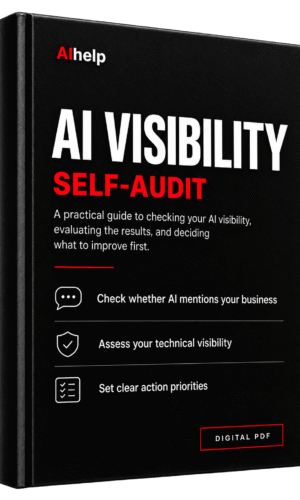
Self-Guided AI Visibility Audit
Step by step, you will check whether ChatGPT, Gemini, Perplexity, Google AI Overviews and other AI systems know, understand, recommend and cite your business. You will identify the main AI visibility problem and priority area for improvement.
→ Conduct an AI visibility audit yourself
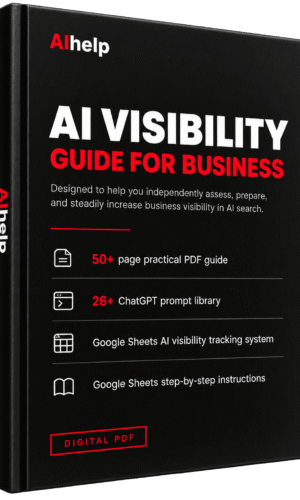
A guide to increasing AI visibility for business
A more comprehensive toolkit for those who want to not only assess the current situation, but also prepare their website for AI search, optimize content, and consistently track visibility changes. The toolkit includes a PDF guide, practical ChatGPT queries, a Google Sheets/Excel tracking template, and a 30-day action plan.
→ Create an AI visibility improvement system
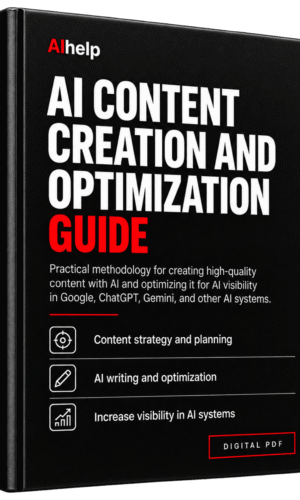
Content creation with AI and optimization for AI visibility
If the audit showed a lack of suitable content, this guide will provide you with a methodology for creating and optimizing articles, product descriptions, and website texts for SEO and GEO principles.
→ Create AI-enabled content for visibility
How to choose?
Just want to know where you are now? → AIclicks or Self-guided AI visibility audit.
Do you want to independently move from audit to improvement plan? → A guide to increasing AI visibility for business.
You already know that the problem is in the content? → Content creation with AI and opt